
 From iOS 11 until iPadOS 18.7.x you could use the “SplitView” function (¹) to view two apps running simultaneously on an iPad. It was particularly interesting in “landscape” mode for, in example, use Weather4D at the same time as consulting the User Manual and watching its videos, or even activate two different applications. Since version 26.x has arrived the multitasking mode (²), or multiwindow, macOS style, which consigns SplitView to oblivion. Latest update 26.2 further improves operation by correcting some minor flaws.
Multi-windowing will allow two or more navigation applications to be opened in parallel (for iPad 13″ in example) with much more flexibility than the previous system, practical especially when using the iPad in “landscape” mode.
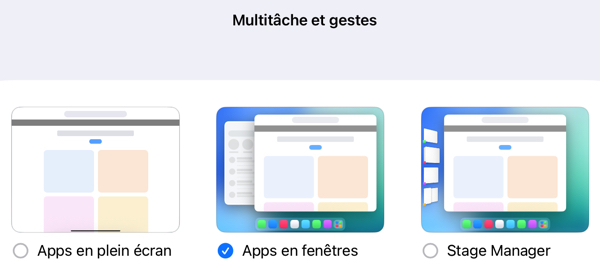
In the Settings from iPadOS 26, you must select, in “Multitasking and gestures” mode “ Windowed apps ” :
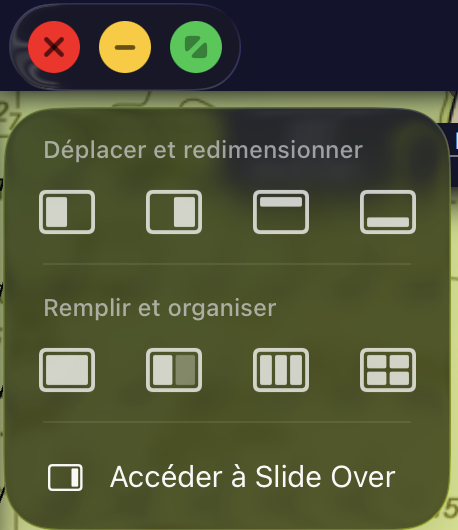 TheThe application windows now have a menu and the three buttons (red, yellow, green) handling windows from macOS. A long press on the group of buttons opens a window allowing you to choose how to position the open windows.
Two navigation apps
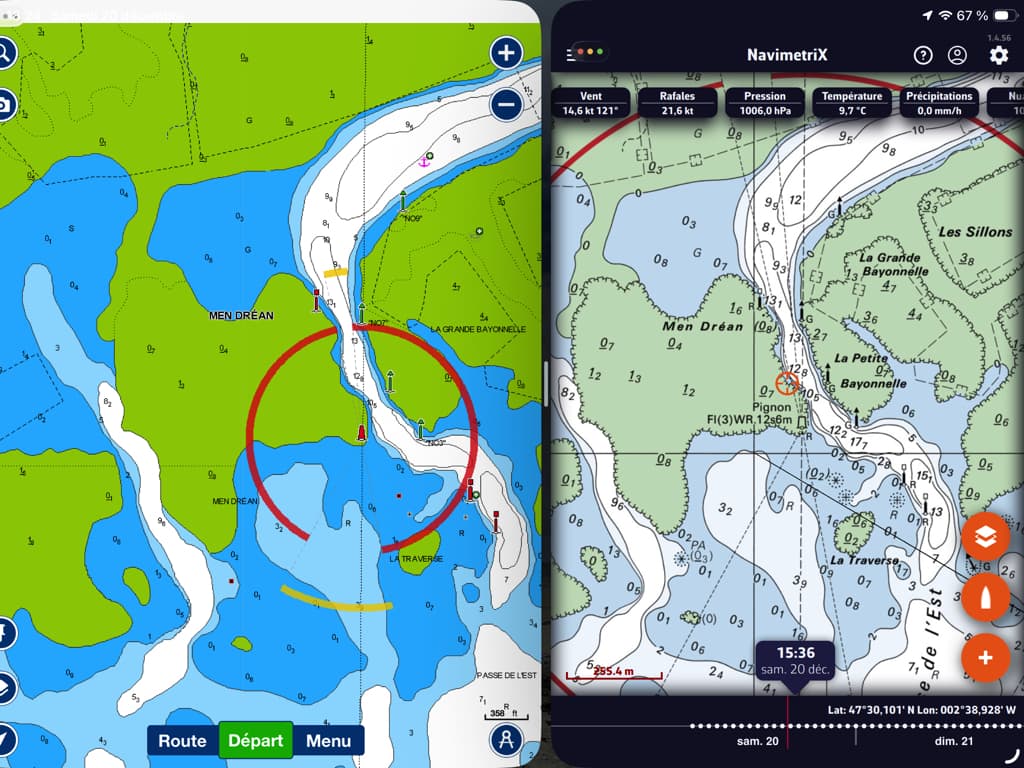
NavimetriX and Boating
It can sometimes be useful to use two applications with two different charts in a difficult or unknown passage. It’s even better when both applications simultaneously receive a stream of NMEA data allowing the position and route to be displayed in parallel. :
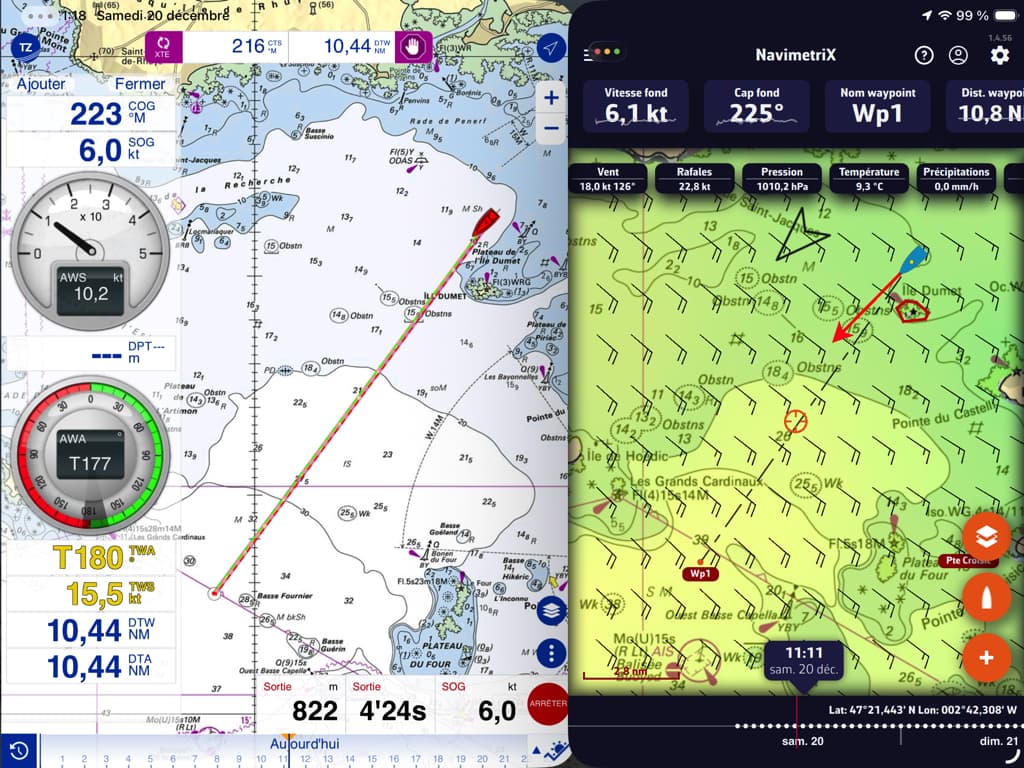
Simultaneous NMEA data in NavimetriX and TZ iBoat
A navigation application and an information window
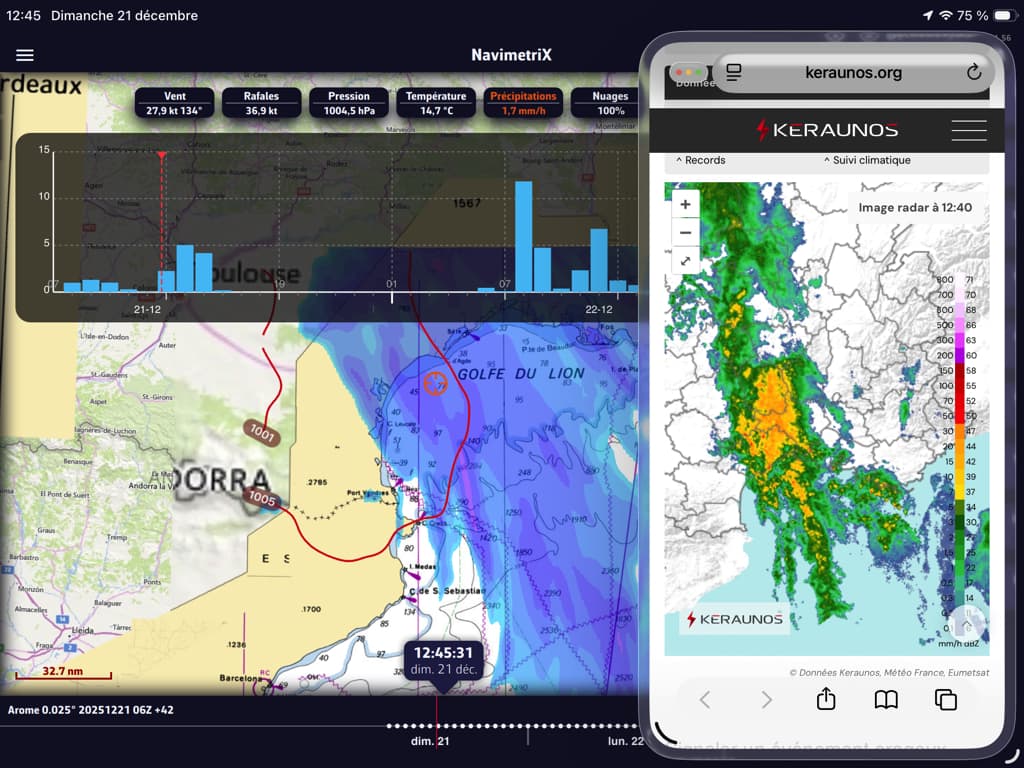
A Mediterranean episode in NavimetriX and display in a floating window (Slide Over) of the radar image of the Keraunos site
We can clearly see all the benefits that can be gained from this multi-window function. You still need to familiarize yourself with the controls to be able to operate at sea when the boat is rolling and pitching., it requires some learning.
–––
(¹) iOS 11 and navigation apps
(²) All the explanations in this help from Apple Support.
–––