
Historic partnership, C-MAP combines its brand new cartography DISCOVER™X and REVEAL™X to NavimetriX. An alternative to the already significant Geogarage offering.
The release 2.0 includes, not only all the features associated with C-MAP charting, but also an impressive number of improvements and new functions.
C-MAP cartography
Only generation “X” charts are compatible. The DISCOVER series is the simplest and least expensive, the REVEAL series adds the relief of the coast and the seabed, the vegetation layer and bottom hardness, as well as satellite images – all of which can be displayed in the app – for a premium price. Pricing varies depending on the geographic areas covered.
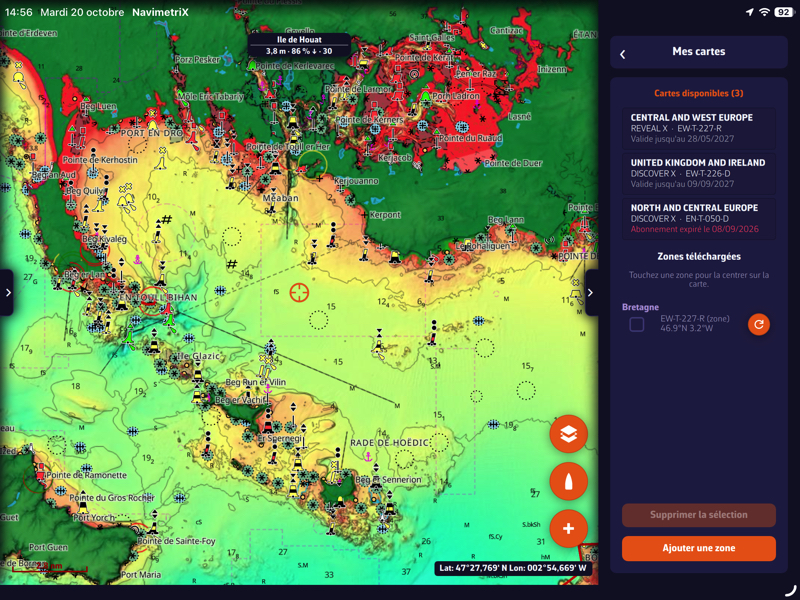
Reveal™X charts with reliefs in NavimetriX
You must create an account and take out annual subscriptions in Digital License on the dedicated page of the C-MAP store. Once subscribed, you enter the C-MAP account identifiers in the “Settings > C-Map" charts in NavimetriX – same method as for Geogarage – then record the device used to display them, set related options, and download the areas necessary for offline navigation.
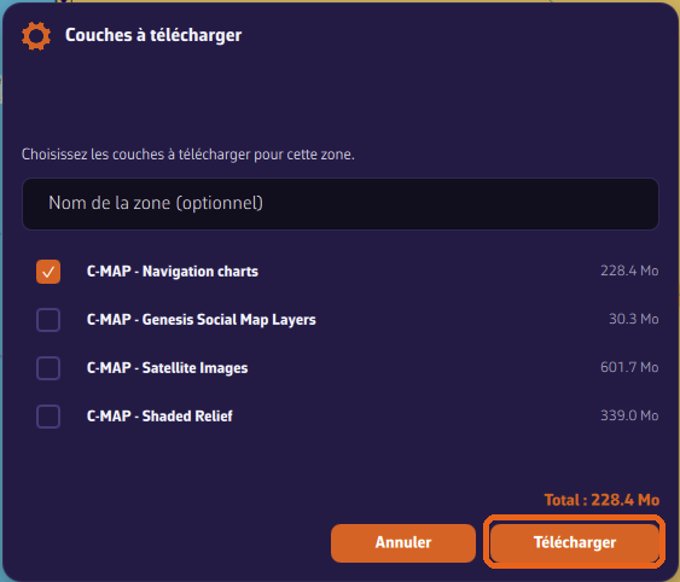
You can independently download the different layers that make up the chart depending on the type..
A single subscription allows use for a period of 12 month out of one maximum of two computers or plotters (PC Windows, Mac, Linux and B&G or Simrad plotters) and a unlimited number of mobile devices (tablet, smartphone). When the subscription expires, only downloaded maps are kept but will no longer be updated.
C-MAP functions
All functions associated with cartography are accessible in NavimetriX :
-
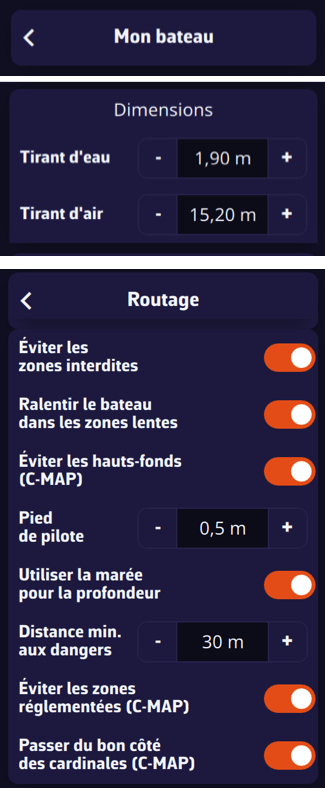
Chart Options : shoal alert and critical air draft, filter and isobath labels, rock filter, wrecks and obstructions.
-
Chart view : Nature of the seabed (selective), marine protected areas, additional layers.
-
Routing-related settings : avoid shoals and restricted areas, respect for cardinal marking (move on to the right side), keel clearance, minimum distance to dangers.
-
C-MAP Autorouting : this routing method reads the chart in order to trace a route that only passes where your boat floats, keep your distance from dangers and respect the navaids, from the settings entered in the “My boat” and “Routing” sections. This is not weather routing, but navigation assistance, to be used with caution.
-
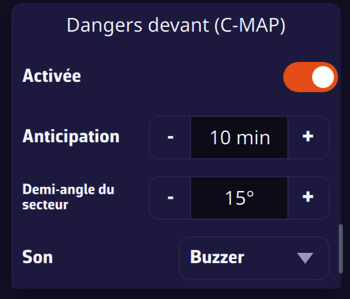
Dangers ahead : monitoring of an adjustable sector at the front of the boat with alarm.
For iPhone/iPad that do not use C-MAP, a selector allows you to deactivate these functions in the Device Settings > Apps > NavimetriX.
What's new in the version 2.0
-
Weather routing integrates the security settings of C-MAP mapping just like autorouting.
-
We can now activate/deactivate the wind and current arrows on the routing, as well as adjust their density.
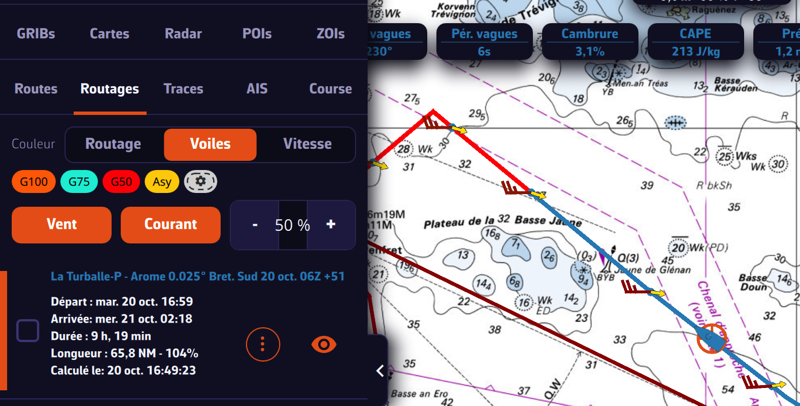
Wind Buttons / Current/Density %
-
Added functions “ Route to this point ” (right click on the target, desktop) or “route to target” (from the button + , Mobile) and Route to this POI ” (right click or tap on the POI), from the boat.
-
GRIB, POI, ZOI and routings can now be renamed from the menu of each row.
-
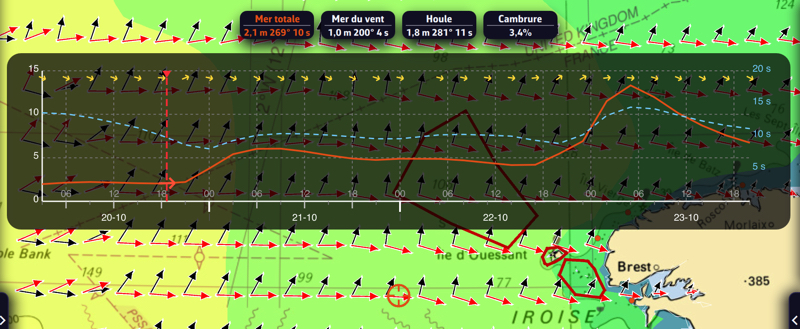
GRIB Waves : new data Sea of Wind, Swell and Camber in % in addition to Total sea, with their respective arrow.
-
Current Atlas tidal : colored arrows according to speed.
-
My boat : the wind thresholds of the polar efficiencies become adjustable.
-
Instruments : in the settings, a window Depreciation allows you to adjust the damping of many data. A double data tile has been added. Data tile titles can be displayed, as set up, as an acronyms or full name.
The FAQ is now paired with a complete Guide of the application.
After a year of rapid development, accompanied by numerous feedback and suggestions from users, from the seasoned regatta sailor to the easygoing grandpa sailor, NavimetriX kept pace with its roadmap published at launch. The excellent collaboration with the C-MAP developers made it possible to achieve, after long and laborious adjustments, to perfect integration of their cartography into the NavimetriX interface. We can guess that the Italian version of the application should not take long !
–––